Preview environments
Configure live previews so reviewers can inspect frontend and full-stack changes from a session.
A preview turns a session from "read the diff" into "try the changed app." Use it when the result is easier to verify in a browser than in code review alone.
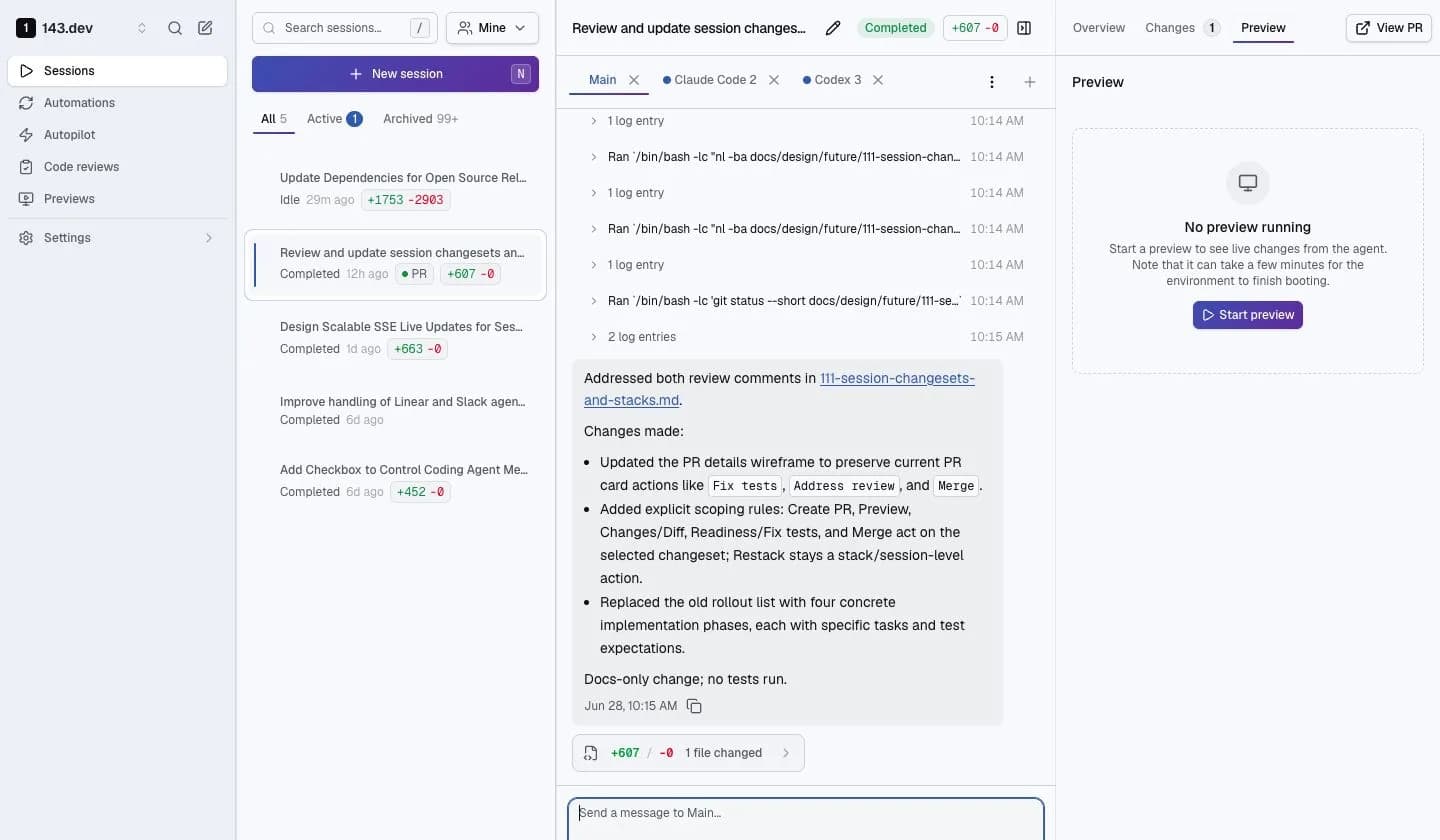
Previews are configured in .143/config.json under the top-level preview key. Commit that file to the base branch so sessions, branch previews, and API-triggered previews all read the same contract.
Set up the config
Start with the smallest config that can boot your app:
.143/config.json at the repository root.{
"preview": {
"name": "frontend",
"command": ["npm", "run", "dev"],
"cwd": "frontend",
"port": 3000,
"ready": { "http_path": "/", "timeout_seconds": 120 },
"credentials": { "mode": "none" },
"network": { "mode": "managed" }
}
}Key rules:
commandis argv, not a shell string. Use["sh", "-c", "..."]only when you need shell features.cwdis relative to the repository root.portis the port inside the sandbox. 143 generates the public preview URL.ready.http_pathshould return a 2xx or 3xx response when the app is ready.- Omit
credentials, or setcredentials: { "mode": "none" }, unless the app uses a legacy env-only credential set. network: { "mode": "managed" }keeps sandbox egress on the platform-managed policy.
Full-stack previews
Use services when the app needs more than one process. Services share the same sandbox filesystem and can call each other on localhost.
{
  "preview": {
    "name": "full-stack",
    "primary": "frontend",
    "services": {
      "frontend": {
        "command": ["npm", "run", "dev"],
        "cwd": "frontend",
        "port": 3000,
        "env": { "API_URL": "http://localhost:8080" },
        "ready": { "http_path": "/" }
      },
      "server": {
        "command": ["go", "run", "./cmd/server"],
        "port": 8080,
        "ready": { "http_path": "/healthz" }
      }
    },
    "credentials": { "mode": "none" },
    "network": { "mode": "managed" }
  }
}
If a repository has more than one app, use named configs with preview.configs and set preview.default. The preview config reference lists every field.
Keep previews current
When an agent changes code, a running dev server usually applies the update through its normal hot-reload path. Some changes need a refresh because the process, dependency tree, or runtime contract changed. 143 marks previews as needing refresh when changes touch files such as:
- dependency manifests or lockfiles
.143/config.jsonor.143/preview-start.sh- build config, environment config, or database migrations
Agents can run the same workflow from the sandbox:
143-tools preview create --session-id "$143_SESSION_ID" --wait
143-tools preview screenshot --session-id "$143_SESSION_ID" --path / --inline-base64 false
143-tools preview update --session-id "$143_SESSION_ID" --wait
143-tools preview multi_viewport --session-id "$143_SESSION_ID" --path /
143-tools preview console --session-id "$143_SESSION_ID" --level error
Screenshot and multi-viewport responses include an artifact.url served through the normal upload pipeline. Use --inline-base64 false when agents do not need PNG bytes in stdout.
Add dependencies
Use preview.install when services need dependencies before they boot. Keep source-dependent builds out of install; put them in the service command so they run against the latest workspace.
{
  "preview": {
    "install": {
      "command": ["npm", "ci", "--no-audit", "--no-fund"],
      "lockfiles": ["package-lock.json"],
      "clean_paths": ["node_modules"],
      "verify_paths": ["node_modules/.bin/next"],
      "timeout_seconds": 420
    },
    "name": "frontend",
    "command": ["npm", "run", "dev"],
    "port": 3000,
    "ready": { "http_path": "/" },
    "credentials": { "mode": "none" },
    "network": { "mode": "managed" }
  }
}
143 reruns install.command when declared lockfiles or config change, or when a declared verify_paths entry is missing. With verify_paths, a fresh workspace can skip install after restoring a matching dependency cache.
Do not cache source directories, secret files, .git, or .143/cache/preview-install. Use pinned lockfiles when possible; mutable tags such as latest can leave stale dependency artifacts.
Secrets and config
Do not put API keys, database URLs, tokens, or generated secret file contents in .143/config.json. Put non-secret values in preview.services.<service>.env; use preview.secrets for admin-managed values.
For new configs, reference a named secret bundle. The repo declares only the bundle name, service scope, and non-secret hints about expected env vars or generated files:
{
  "preview": {
    "primary": "frontend",
    "services": {
      "frontend": {
        "command": ["npm", "run", "dev"],
        "port": 3000,
        "ready": { "http_path": "/" }
      },
      "server": {
        "command": ["go", "run", "./cmd/server"],
        "port": 8080,
        "ready": { "http_path": "/healthz" }
      }
    },
    "secrets": {
      "bundle": "repo-dev",
      "services": ["frontend", "server"],
      "env": ["DATABASE_URL"],
      "files": ["development.conf.json"]
    },
    "network": { "mode": "managed" }
  }
}
An org admin creates the repo-dev bundle outside the repo. For generated JSON files, store the raw JSON document as the managed secret value and use a file output with format: "json". Use format: "raw" for PEM blocks or other non-JSON blobs.
The older preview.credentials shape is still accepted for an env-var-only managed credential set:
{
  "preview": {
    "credentials": {
      "mode": "managed_env",
      "credential_set": "repo-staging",
      "env": ["DATABASE_URL", "STRIPE_SECRET_KEY"],
      "inject_into": ["server"]
    },
    "network": {
      "mode": "managed",
      "destinations": ["staging_db"]
    }
  }
}
In both models, the config references admin-managed values by name and allowlists which outputs may be injected. Secret values are not committed to git.
Connected previews
Any preview with preview.secrets, preview.credentials.mode other than none, or preview.network.destinations is treated as connected. Connected previews pin launch behavior to the base branch so a session diff cannot change commands, ports, env handling, secret bundle names, or generated secret file paths while secrets are in scope.
Runtime environment
Every preview service receives a small set of platform environment variables:
| Variable | Use |
|---|---|
HOST | Defaults to 0.0.0.0 so frameworks bind where the preview gateway can reach them. |
ONEFORTYTHREE=true | Always injected. Use this to detect that the process is running on 143. |
ONEFORTYTHREE_ENV=preview | Always injected for preview runtimes. Use this to disable background consumers, schedulers, profilers, telemetry exporters, and other work that is useful in production but not needed to serve the preview. |
PREVIEW_ORIGIN | Public preview URL, when available. Use this as the external base URL for callbacks, redirects, and absolute links that must point back to the public preview URL. |
These names are reserved. Preview configs and secret bundle env outputs that declare them fail validation.
Use previews
Use previews from:
- A session: click Start Preview after the sandbox is available.
- A branch: go to Previews, choose repository and branch, then start a preview.
- CI or scripts: create a scoped preview API token, then call the preview API or
143 preview create.
Previews are most useful for UI changes, full-stack workflow changes, and review paths where the correct result is easier to see than infer from a diff.
Troubleshooting
| Symptom | What to check |
|---|---|
No preview button or PREVIEW_NO_CONFIG | .143/config.json is missing or has no preview section. |
primary does not reference a service | preview.primary must match a key in preview.services. |
| Readiness timeout | Confirm the service binds to 0.0.0.0, listens on the declared port, and returns 2xx or 3xx on ready.http_path. |
| Secret missing in a service | Check the secret bundle name, env allowlist, and services scope. For legacy credentials, check credential_set and inject_into. |
| Generated JSON config file is invalid | Store the raw JSON document in the managed secret and use a file output with format: "json". |
| Preview points at localhost in redirects | Use PREVIEW_ORIGIN for the app's external base URL. |
References
- Repo config guide: where
.143/config.jsonfits with bootstrap and validation. - Preview config reference: every supported preview field and constraint.
- Review and ship: how previews fit into review workflows.